Prerequisites
At a bare minimum:
- You should have git working on your laptop
- We assume that you already have a CERN account or access to a GitLab instance
- We assume you have access to the payload tarball (see below)
You should find your way to your very own GitLab homepage! For CERN this is gitlab.cern.ch.
Creating a New Project
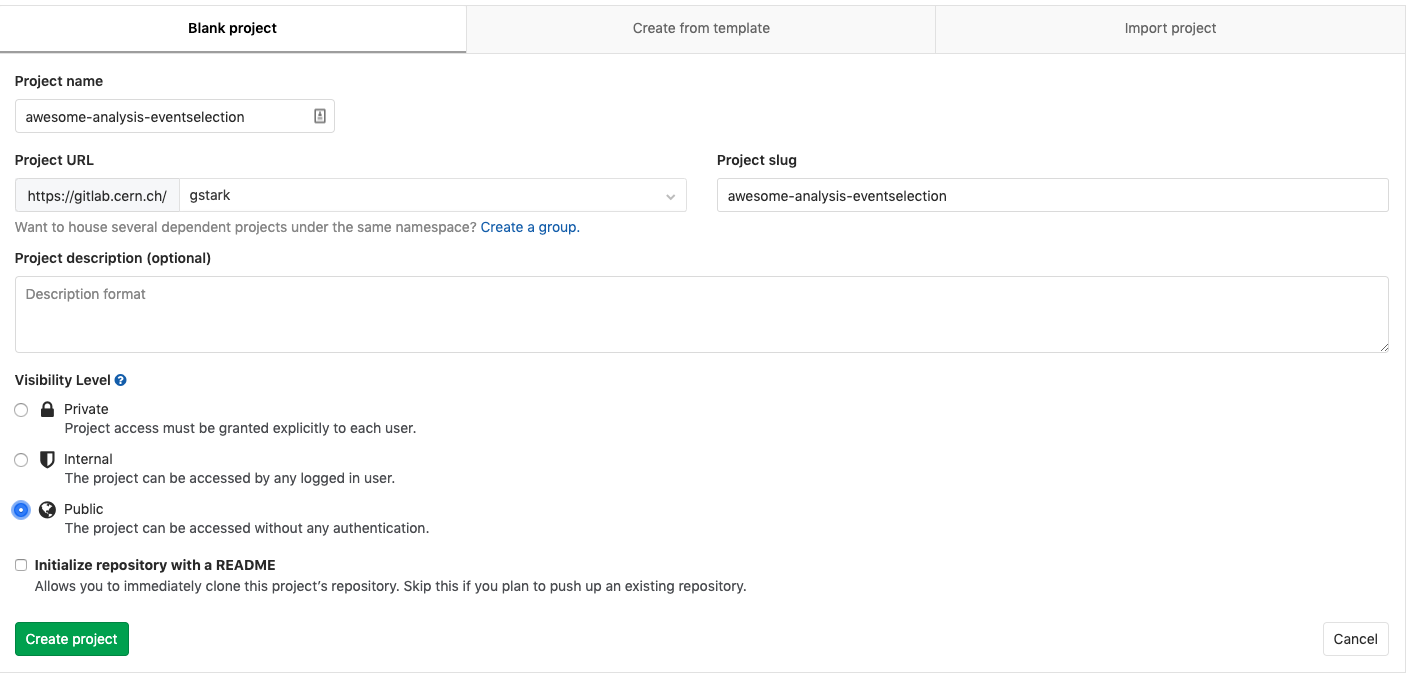
Create a new project (e.g. at CERNs) on your personal GitLab account called virtual-pipelines-eventselection. Please make sure to set the visibility level to Public, and to create the repository without the default README, as shown below.
Visibility Level
Make sure you click Public for the visibility level of the new project so that everyone can see your awesome work (and it will also make things easier when we get to working with containers).
We will now copy an existing repository to this project
git init virtual-pipelines-eventselection
cd virtual-pipelines-eventselection
git pull https://github.com/hsf-training/hsf-training-cms-analysis
git remote add origin <clone-url (ssh or https) of the project you just created>
git push -u origin main
Alternatively, you could follow the setup for the payload to download a tarball of the repository files and push them to yours.